
MTM Link Member
MTM, IncMaps & Navigation
4.42.23K Reviews
- Version
- 4000.22.0
- Installs
- 100.00K
- Age Rating
- Everyone
Screenshots
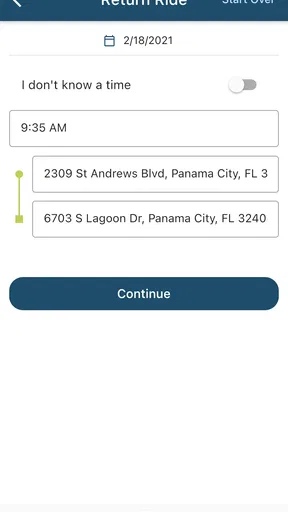
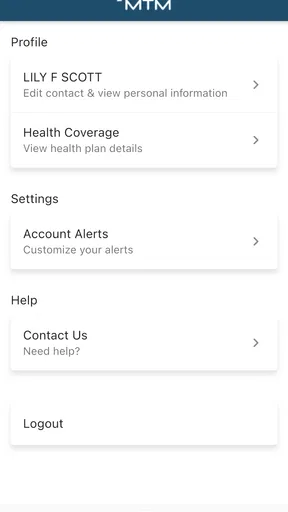
Our Review of MTM Link Member
 Analysis by Appyee
Managing scheduled rides is rarely difficult because of the trip itself. The friction usually appears around the edges: remembering the pickup details, checking whether a ride is still arranged, and keeping the right information available when it is time to leave. MTM Link Member takes a focused approach to that problem. It is a free Maps & Navigation app from MTM, Inc., built for members who use MTM transportation services and want a more convenient way to manage their rides from a mobile device.
I found the app most useful when I treated it as a ride-management tool rather than as a replacement for a general navigation app. It is not the kind of application I would open to explore a city, compare driving routes, or find a restaurant. Its value is narrower and more practical: keeping my transportation arrangements easier to follow. That specialization is also the first thing a new user should understand, because it makes the app useful in the right situation and disappointing in the wrong one.
How the everyday ride workflow feels
The sensible starting point is to use the app around an existing MTM ride rather than expecting it to create a complete travel plan from scratch. After signing in as an MTM member, I would use the app as a central place to review the ride information available through the service. The benefit is not flashy mapping; it is reducing the need to search through messages, remember details manually, or rely on several unrelated tools.
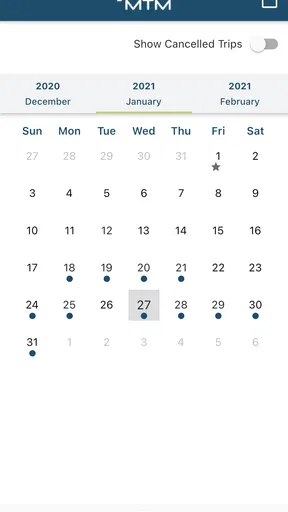
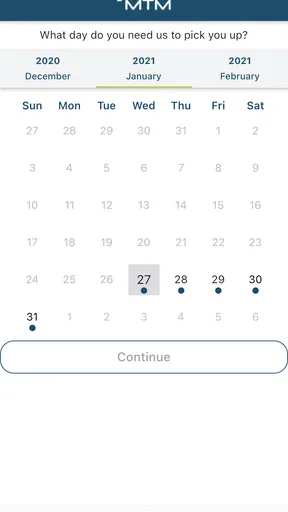
A realistic example is a medical appointment early in the morning. The night before, I could open MTM Link Member and review the ride information instead of assuming I remembered the pickup arrangement correctly. On the day itself, checking the app becomes a small but worthwhile habit: confirm the ride details before getting ready, then check again when it is nearly time to leave. That routine is more valuable than repeatedly opening a standard map, because a map can show roads but cannot replace the member-facing ride information this app is designed to organize.
I especially like the idea of making one quick review part of my preparation routine. I would check the ride before charging my phone, keep the device accessible, and avoid waiting until the last minute to discover that I had misunderstood the arrangement. This is a simple workflow, but it is the kind of repeatable habit that makes a specialized app genuinely useful.
The experience depends heavily on the information connected to the member account and the transportation service. In other words, the app is not a universal booking platform for every ride in my life. Its usefulness begins when my transportation needs are already connected to MTM. For someone who regularly uses that service, this focused design can feel much cleaner than trying to manage rides through a general-purpose calendar, phone calls, text messages, and a separate map.
What I would check before relying on it
My first recommendation is to sign in and explore the app when I am not already rushing to a pickup. That gives me time to understand where ride information appears and how quickly I can reach it. A transportation app should be tested during a calm moment, because the real test comes when I am leaving home, dealing with an appointment, or helping another person get ready.
I would also make sure the account details are correct and that the app is running on a compatible device. The minimum operating system is Android 7.0, which makes the app accessible to many older Android phones, although an older device may still feel slower than a newer one. The current version is 4000.18.0, so keeping the installation current is a sensible maintenance step when the app is used for important rides.
One practical habit is to avoid treating the phone as the only backup for essential transportation information. I would still remember the basic appointment time and keep any important contact or ride details available in another safe way. That is not a criticism unique to MTM Link Member; it is a sensible precaution for any app connected to time-sensitive travel. A dead battery, a poor connection, or an account problem can turn a convenient digital workflow into a stressful one.
Settings and phone habits that matter
The app itself may be straightforward, but the surrounding phone settings can determine whether it feels dependable. I would check that notifications are allowed if the app uses them for ride-related updates, and I would review battery restrictions so the phone does not aggressively limit background activity. I would also make sure the app can be opened quickly from the home screen rather than buried in a crowded app drawer.
These are not dramatic tricks, but they are useful because ride management is about timely access. If I have to search for the app, recover a forgotten password, or fight a battery-saving setting every time, the convenience disappears. I prefer to place it near the calendar or phone app, where it becomes part of the same preparation sequence.
Privacy is another reason to use the app deliberately. Transportation information can be personal, especially when it is connected to appointments and regular routines. I would use a screen lock, avoid leaving the account open on a shared device, and sign out or protect the phone appropriately if someone else regularly uses it. The app’s Everyone content rating describes its general audience classification, not a promise that every transportation detail should be casually shared.
I would not change settings blindly just to make the app seem more automated. Experienced use is usually about choosing a small number of reliable habits, not enabling every possible phone permission or alert. If a notification is useful, keep it visible. If it creates unnecessary noise, adjust the phone’s notification controls rather than letting the app become something I ignore.
Faster patterns for repeat users
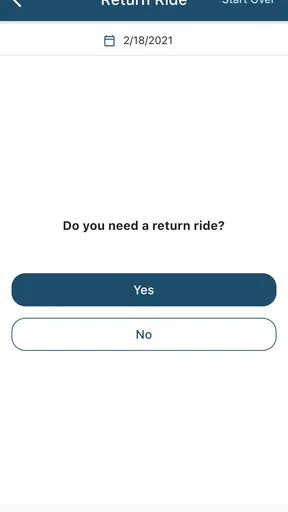
Once I had used the app a few times, I would build a short repeatable sequence around it. Before an appointment, I would review the ride details, compare the timing with my personal calendar, and prepare anything I need before the pickup window. On the return journey, I would check the relevant information again instead of assuming that the outbound routine automatically covers the whole day.
A second useful pattern is separating confirmation from navigation. I would use MTM Link Member to manage the MTM ride information, then use a familiar map app only when I need to understand the destination, nearby streets, or walking route after getting out. That division keeps each tool doing the job it handles best. Trying to force a general map to manage a member transportation arrangement is inefficient, while expecting a specialized member app to provide broad city navigation is equally unrealistic.
For people who help a parent, patient, or family member, the app can also support a shared preparation routine, provided the account and device are being handled appropriately. I would help the rider check the information, confirm that the phone is charged, and make sure the person knows where to open the app. The important point is to support the member’s ride management without assuming that the helper should permanently control every detail.
Another small improvement is to check the app at consistent moments instead of refreshing it constantly. I would review it after arranging a ride, again the evening before an important appointment, and once more before leaving. That pattern reduces anxiety without turning the app into a screen I watch all day. It also makes unusual changes easier to notice because I have a clear baseline for comparison.
For frequent users, the best shortcut may be behavioral rather than technical: keep the app in a predictable place, use the same review sequence, and avoid depending on memory for details that can be checked. I did not find a reason to invent complicated workarounds. The application’s strongest use is a calm, consistent workflow built around the member account.
Where the focused design reaches its limits
The main limitation is scope. MTM Link Member is not the right choice if I want turn-by-turn driving directions, public transit discovery across an entire city, live traffic comparisons, or a broad collection of travel services. Google Maps, Apple Maps, or a dedicated transit app will usually be better for those jobs. They are designed to answer geographic questions; this app is designed around MTM member rides.
It is also not a universal ride-hailing alternative. Someone looking for on-demand trips, price comparisons, or a marketplace of drivers should look elsewhere. The app makes more sense when I already belong to the relevant transportation program and need a digital way to manage that relationship. Without that connection, its focused purpose may not justify space on my phone.
There is also a practical difference between seeing ride information and controlling every part of the transportation process. I would not assume that opening the app gives me unlimited ability to change arrangements, solve a late pickup, or handle an urgent issue. When a ride is important, I would use the app for the information and management options it presents, while treating direct support or the established MTM process as the appropriate route for problems that require human assistance.
That distinction matters for medical appointments and other time-sensitive trips. A mobile interface can make information easier to reach, but it cannot remove every real-world variable. Traffic, pickup confusion, phone problems, and changes in a member’s schedule still require judgment. The app works best as one dependable part of the plan, not as a guarantee that every transportation issue will resolve automatically.
Performance can also vary with the phone and connection. The broad Android compatibility is welcome, but owners of older devices should give the app a proper trial before an important journey. If screens load slowly or the phone struggles with several applications open, I would close unnecessary apps and test access in advance. That is a more useful preparation step than discovering a device limitation at the curb.
Who will get the most from it
I would recommend MTM Link Member to people who regularly use MTM transportation and prefer checking ride information themselves. It is particularly suitable for members who want a clearer digital routine, family supporters who help someone prepare for rides, and users who are comfortable with a simple member-focused app rather than a large all-purpose navigation platform.
The app also makes sense for someone who dislikes juggling paper notes, phone conversations, and calendar reminders. It gives that person a dedicated place to begin when thinking about an MTM ride. The benefit is modest but meaningful: fewer scattered steps and a more consistent way to review transportation arrangements.
I would be more cautious about recommending it to someone who rarely uses MTM services or expects one app to cover every travel need. A general map application will be more useful for exploring routes, while a ride-hailing app will be more appropriate for spontaneous trips. The right decision depends less on the app’s rating than on whether its member-focused purpose matches the way the person travels.
Value, maturity, and day-to-day confidence
There is no purchase decision to make because the app is free, which lowers the barrier to trying it. MTM Link Member has a 4.5 average from around eight thousand ratings, with roughly two thousand written reviews and over one hundred thousand installs. Those figures suggest that it has found a real audience, but I would still judge it by how well it fits my own ride routine rather than treating popularity as proof that it will solve every transportation problem.
The release date, February 24, 2021, places it in the category of an established mobile service rather than something brand new. That matters to me because I prefer testing a transportation app over several ordinary rides before trusting it for an especially important appointment. The current version information is useful for checking compatibility, but the more important test is whether the app gives me dependable access to the ride information I actually need.
My honest view is that the app’s value comes from discipline. If I install it but never check it, it will not improve my travel day. If I make it part of a short preparation routine, keep the phone ready, and understand where general maps fit into the process, it becomes much more useful. That is a fair trade-off for a specialized application: less breadth than a major navigation platform, but a clearer purpose for MTM members.
My verdict after building a repeatable routine
MTM Link Member is a practical app for a specific audience, and I think that specificity is its strongest quality. I would use it to keep MTM rides easier to review, especially before appointments or other trips where forgetting a detail creates unnecessary stress. I would pair it with a calendar for personal scheduling and a general map for destination navigation, rather than expecting it to replace either one.
The most effective approach is simple: set up the account before the day of travel, check the relevant ride at predictable moments, keep the phone accessible, and maintain a backup plan for important transportation. Those habits make the app feel more dependable without pretending that software can solve every part of a ride.
For MTM members, the free price and focused workflow make it worth trying. For people seeking broad navigation, spontaneous ride booking, or detailed route planning, a different app will be a better fit. My recommendation is therefore positive but specific: use MTM Link Member as a member ride-management companion, not as an all-purpose travel app. When used that way, it provides a straightforward digital routine that can make everyday transportation easier to follow.
Privacy and Permissions
See what permissions an app requests and how it handles your data.
- Location
- approximate location (network-based), precise location (GPS and network-based)
- Photos/Media/Files
- read the contents of your USB storage, modify or delete the contents of your USB storage
- Storage
- read the contents of your USB storage, modify or delete the contents of your USB storage
- Camera
- take pictures and videos
- Other
- view network connections, full network access, control vibration, prevent device from sleeping
Verdict
Strengths of MTM Link Member
- Quick access to membership details and account information.
- Convenient way to review available member benefits in one place.
- Mobile access reduces the need for printed membership documents.
- Useful for checking updates while away from a desktop computer.
- Simple format makes essential member tools easy to locate.
Limitations of MTM Link Member
- Some features may require an active MTM Link membership.
- Account or benefit information may depend on timely provider updates.
- Limited usefulness for people who rarely manage their membership online.
- Login issues can prevent access to important account details.
- The app’s value may vary depending on the services offered in your region.
Similar Picks in This Category
View All
Uber - Request a ride
Uber Technologies, Inc.4.7


inDrive. Rides with fair fares
® SUOL INNOVATIONS LTD4.8

Yandex Go: Taxi Food Delivery
Mikromobilnost LLC Belgrade4.8

Bolt: Request a Ride
Bolt Technology4.8

Rapido: Bike-Taxi, Auto & Cabs
Rapido Bike Taxi4.8
Frequently Asked Questions
What is MTM Link Member, and what can I use it for?
MTM Link Member is a member-focused mobile application designed to give eligible users convenient access to information and services connected with their MTM membership. Depending on the organization and account type, the app may allow you to review membership details, access digital resources, receive announcements, manage profile information, or contact support. The exact tools available can vary, so your experience may depend on your membership status and region.
Who can use the MTM Link Member app?
The app is generally intended for registered MTM members or users who have been invited or authorized by the organization. Installation alone may not provide access to all features, because you may need valid membership credentials, an activation code, or an account linked to your organization. If you are unsure whether you qualify, check your membership documentation or contact MTM support before downloading and attempting to sign in.
Is MTM Link Member free to download and use?
MTM Link Member may be available to download without an upfront charge, but any related membership fees, subscription costs, or services are separate matters controlled by MTM or the organization providing access. Before using premium or member-specific features, review the terms shown during registration and inside the app. Also remember that mobile data charges may apply when using the application away from Wi-Fi.
What information and permissions does MTM Link Member require?
Like many membership applications, MTM Link Member may request information such as your name, email address, membership details, and login credentials to verify your identity and personalize the experience. It may also request permissions needed for notifications, document access, or other optional tools. Review the privacy policy and your device permission settings carefully, and grant only the access you consider necessary for the features you intend to use.
What should I do if I cannot log in or the app is not working correctly?
First, check that you are entering the correct membership credentials and that your internet connection is stable. Updating MTM Link Member and your device operating system can also resolve compatibility or performance issues. If you have forgotten your password, use the available account-recovery option rather than repeatedly trying incorrect details. Persistent problems may require contacting MTM support, especially if your membership has not been activated or your account needs administrative assistance.
